Portal tour
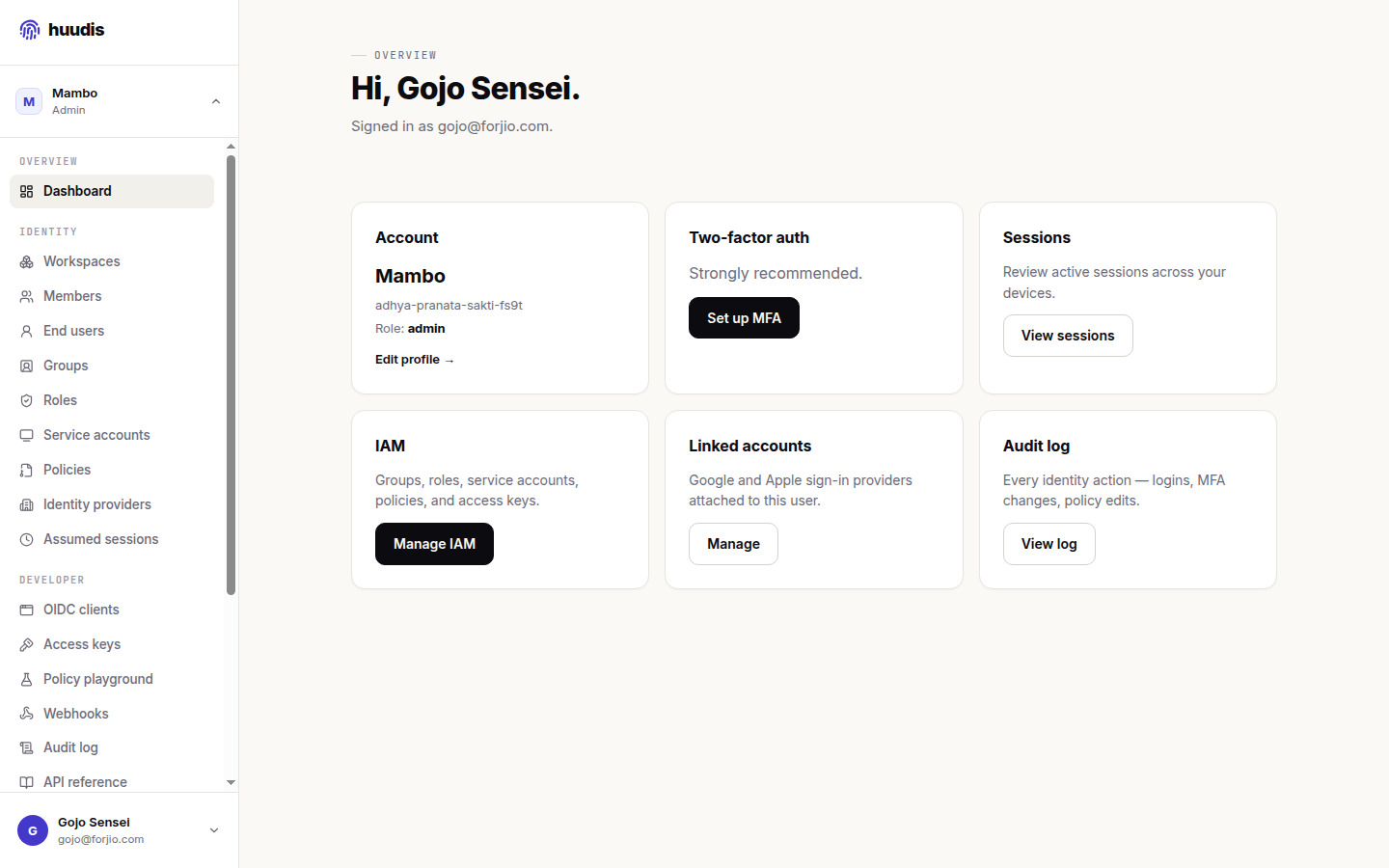
The Huudis dashboard at huudis.com/dashboard is where workspace administrators configure everything Huudis does: which apps can talk to it, which social providers are wired, which users exist, who can do what.
This page walks through the dashboard's top-level sections. Each section has its own deep-dive page linked at the end.
Sign in to the dashboard
The dashboard uses the same OIDC flow your apps do — Huudis is dogfooding its own product. Sign in at huudis.com/login with the email and password you used at sign-up.
Once signed in, the dashboard lands you in the active workspace for your account. If you have multiple workspaces, the workspace switcher in the top-left lets you change.
Top-level sections
The left sidebar groups everything into seven sections:
Workspaces
The list of workspaces you have administrative access to. New workspaces can be created here; deleting a workspace is destructive and is gated behind a typed confirmation.
For most teams, a single workspace is enough. Use a second workspace only when you want fully isolated configuration — e.g., a "staging" workspace with separate OIDC clients and identity providers from your production workspace.
Users
Workspace administrators — the human members of your team who can configure Huudis itself. Distinct from end users (people who signed into apps you've registered as OIDC clients) — those are listed in a separate section.
See Managing users for the deep dive.
OIDC clients
The apps registered to authenticate via Huudis. Each row is one client; clicking opens its detail page where you can edit redirect URIs, rotate the secret, see recent auth activity, or revoke the client entirely.
See OIDC clients for the deep dive.
Identity providers
The list of social/SSO providers wired into this workspace. Each row shows a provider (Google, Apple, Facebook) with an enabled/disabled toggle and a configure button. When enabled, the corresponding "Continue with X" button shows up on every sign-in screen for OIDC clients in this workspace.
Configuration details for each provider live in Social providers.
End users
Every person who has ever signed into one of your OIDC clients. This list is scoped strictly to your workspace's clients — even with the admin API, you can't see Huudis users who never consented to one of your apps.
For each end user you can:
- View their sign-in history.
- Send a password reset email.
- Manually verify their email (audit-logged).
- Revoke their refresh tokens for your clients.
- Start an impersonation session (audit-logged) for support workflows.
IAM
Workspace-scoped policies, groups, and access keys. The IAM model is AWS-IAM-style JSON — Effect, Action, Resource, Condition. Useful when you need to limit which team members can rotate which clients, or when you're managing access for service accounts.
For most workspaces, the canned Admin, Developer, and Read-only roles are all you need.
Audit log
Every state-changing action in the workspace, with who did it, when, and from what IP. Retained for 365 days. Filterable by actor, action type, and time range. Exportable as CSV.
Settings
Account-wide settings (billing, security, deletion) live in Settings, separate from the workspace-scoped left sidebar.
- Security — your password, MFA factors, signed-in sessions.
- Billing — the Forjio products you've opted into, your Plugipay payment method, recent invoices.
- Danger zone — account deletion, data export.
Next
- Managing users
- OIDC clients
- Concepts — if any of the terms above need grounding.